Machines
Machines (equipment/assets) can be attached to work centers. If you want to record machines and/or equipment within your quality records for SmartSolve you can manually enter the information in the Machine Setup object; or link to a third party application that may already have Machine/Equipment Inventory. Many machines can be attached to a work center.
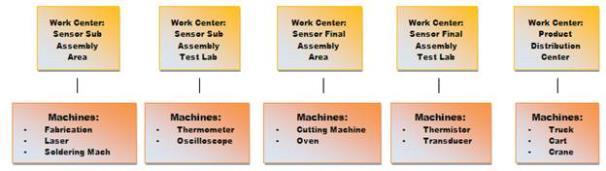
The Machine object is optional in the system and off-the-shelf is not seen in any SmartSolve records; however, it can be activated or added to the Form templates using Studio Designer provided. The Machine object is only needed if customers want to provide another layer of analysis for Work Center quality data.
User Rights
The following rights must be assigned to a user for that user to manage or view machines:
| Rights | Description |
|---|---|
|
MCH_MANAGE |
Allows the administrator to add new objects, modify existing objects, or delete objects. |
|
MCH_VIEW |
Allows the user to access and view objects. |
NOTE: See Rights Groups for more information on assigning rights groups to users
See Also